forma: An Infinite Canvas For Projects Your To-do List Can't Handle
OLAP's review of forma, an app that lets you plan and conquer tasks visually on an infinite canvas — with cards, markers, and no subscription.


Welcome to the eighth edition of Oh Look, Another Product!
If you’re new here, every week I cover one product or app I’ve been using, loving, and raving about (and in all probability, paying for). Last week it was rooms.aero.
This week is a first for OLAP — the creator of this product reached out and asked me to take a look. That’s never happened before, and it’s a small but exciting sign that this newsletter is starting to find its way to the right people — readers and builders alike. It’s still not a sponsored post, only my honest take. But I’m glad OLAP is becoming a place where hidden gems get discovered.
Now, onto the product. I plan things the way most people do — I open my notes app and make a list. Tasks go in, checkboxes get ticked, life moves forward. For small stuff, that’s perfect. But I was putting together a campaign at work recently — multiple workstreams, dependencies, things that needed to happen in a certain order — and I realised I was staring at 30 bullet points that told me nothing about how any of it connected. The list had every task but none of the shape.
That’s the week forma found me!
✏️ Introducing forma
forma is a native Mac app that gives you an infinite spatial canvas for notes, tasks, and ideas. No lists, no folders, no columns — just an open board where you click, drag, and create. If I had to describe it in one line: Figma meets Trello, but more fun and with zero bloat
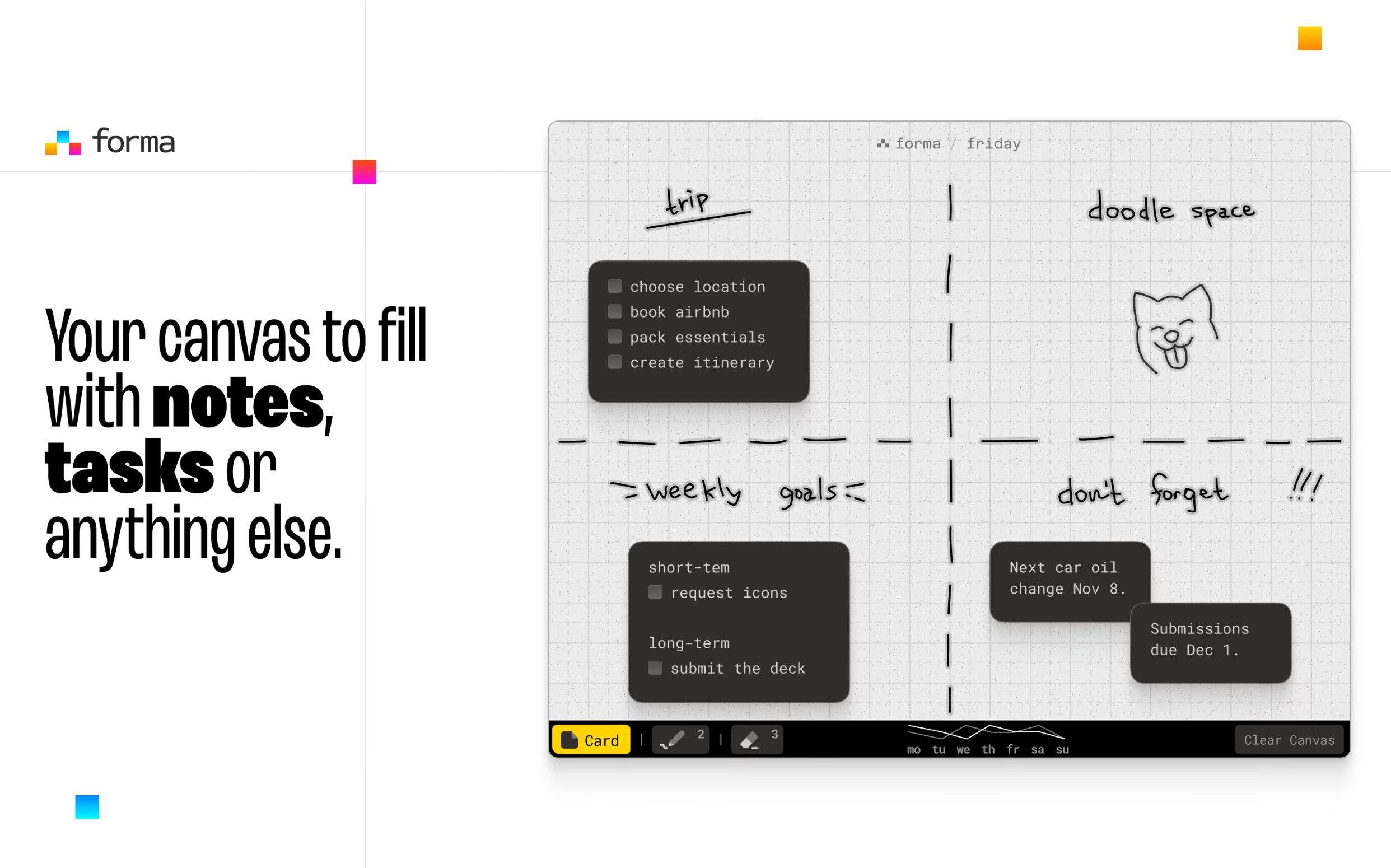
🪄 How It Actually Works
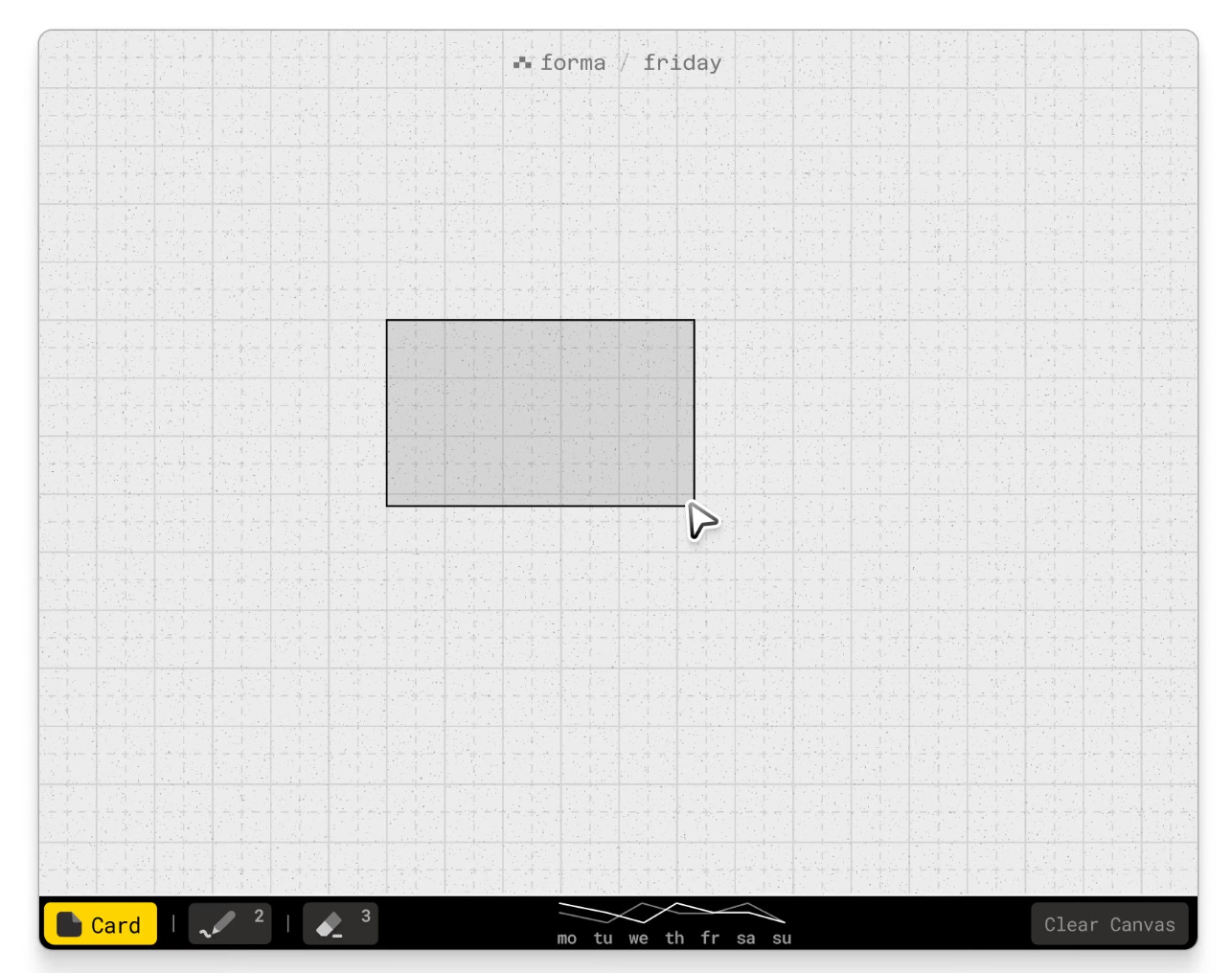
Click and drag anywhere on the canvas to create a card. Size it however you want. Each card supports markdown — headers, checklists, bold, italic — so it can be a one-line task or a full mini-brief. Switch to the marker tool and draw freely across the board: arrows between cards, circles around clusters, annotations wherever they make sense.
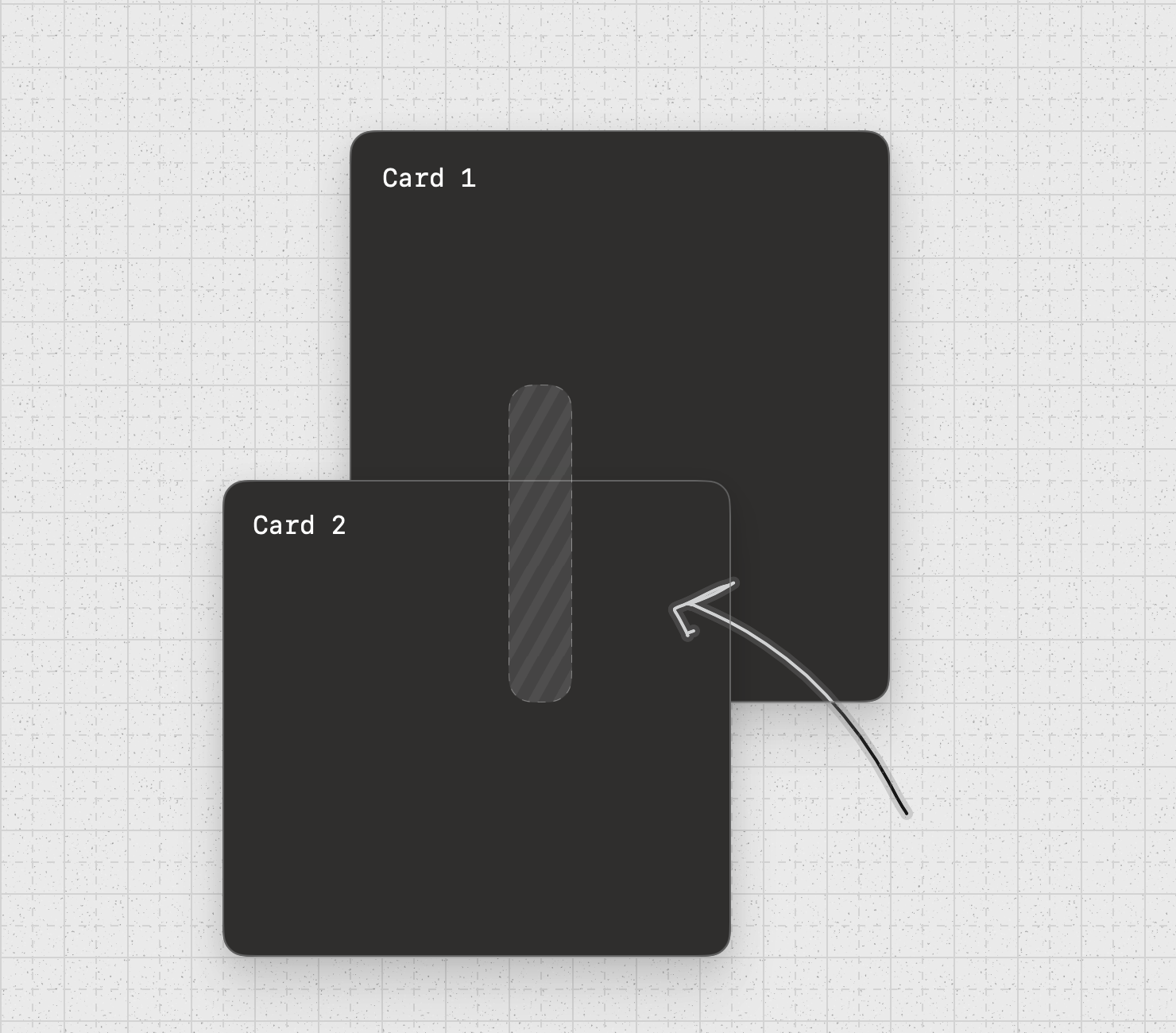
There’s a built-in productivity chart that tracks your daily output, and a neat detail where a card fully covered by another one still peeks through — so nothing accidentally disappears under a stack.
Keyboard shortcuts (1, 2, 3) let you flip between selection, marker, and eraser without breaking flow, and snap-to-grid keeps your layout clean without being restrictive.
The best part, everything lives locally on your Mac. No account, no cloud, no data that leaves your device.
👍🏼 Why I Like It
The campaign I mentioned earlier — I rebuilt the whole plan in forma. Each phase became its own card. I drew arrows between the ones that depended on each other, scribbled notes in the margins, and within an hour, I had a visual map of the entire project laid out in front of me. For the first time, I could actually see how the pieces fit together — not just what needed to happen, but why one thing had to come before another.
I also used it to plan this very edition — outlining the structure, marking what was done and what still needed work. It’s the kind of app where you start with one use case and quickly find three more.
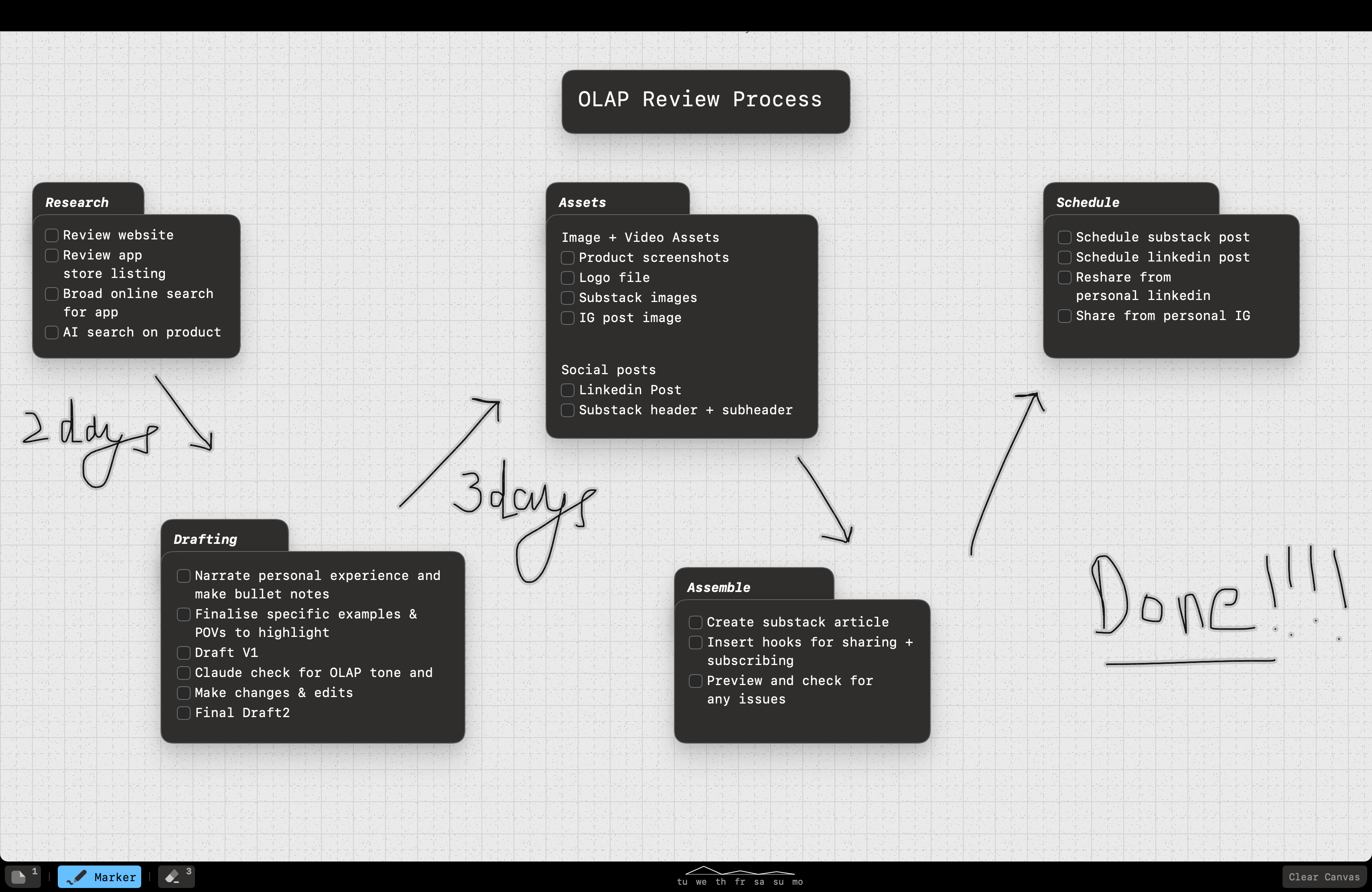
I can already see it being a great tool for trip planning — laying out places, links, notes, and connecting the flow of each day into something that actually looks like a plan, not a spreadsheet.
In a world where every productivity tool is racing to add AI, forma goes the other way. It gives you a blank space and simple tools — and trusts you to make something with them. That simplicity is the point.
The catch: It’s Mac-only for now. And because you start with a completely blank canvas, the first session takes a little orientation. There are no templates, which I think is deliberate — this is about making the space your own — but it means the first 15–20 minutes are about figuring out your layout before things click.
A few things I’d love to see as it grows: the ability to add images or media onto cards (moodboarding would be incredible), and colour options for cards and markers to create visual distinction. Multiple boards are already confirmed as coming soon (here’s a preview for you!)
💰 Cost + Subscription
The best part, forma is a one-time purchase — $9.99, no subscriptions. In India, it’s ₹999 on the Mac App Store. Compared to all other tools where you’d be easily paying a $5-$10/month license fee, this is a steal.
My take: For less than what a decent coffee costs in anywhere, you own it forever. No recurring charges, no tiers, no upsells. For an app that could become your go-to project planning space, that’s a fair deal — especially given how actively it’s being developed.
✅ Final Verdict
On my scale of
1 — You should try it
2 — You need to try it
3 — You better try it
4 — Download it RIGHT NOW
forma is a solid 2 - You need to try it. I can see this becoming a 3 fairly quickly, given how actively it’s being built. But the core is there, and the philosophy is right: simple tools, creative freedom, no subscription. If you think in maps, not lists — give it an afternoon. You’ll know within the first hour.
🎁 A Little Something Extra
This is OLAP’s first giveaway. I’m giving away 3 free copies of forma to readers — just leave a comment or like on this post, and I’ll reach out! No forms, no hoops. Enjoy :)
That’s the end, folks! I hope you enjoyed the eighth edition of OLAP and are looking forward to the coming editions. A big thank you to Arsen for introducing me to forma and giving me a new way to visualise my work (and life)!!
If there’s a product you love and want me to know about, tell me — I might even feature it in an upcoming edition.
Till then, try forma :)
Best,
Nikhil
*This review of forma is not sponsored or paid for, though the creator did provide free access for review
Thanks for the review! Lots more coming